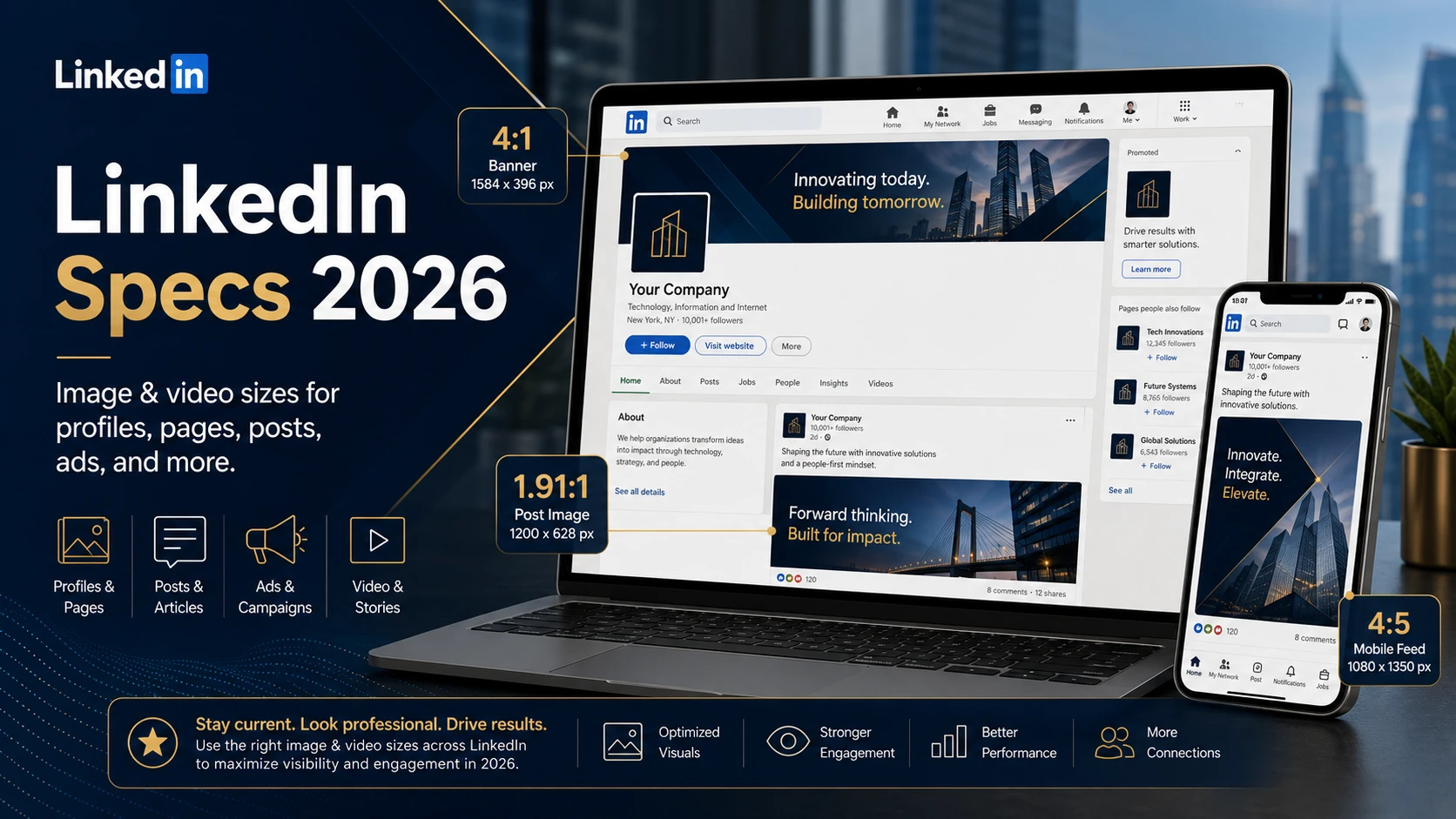
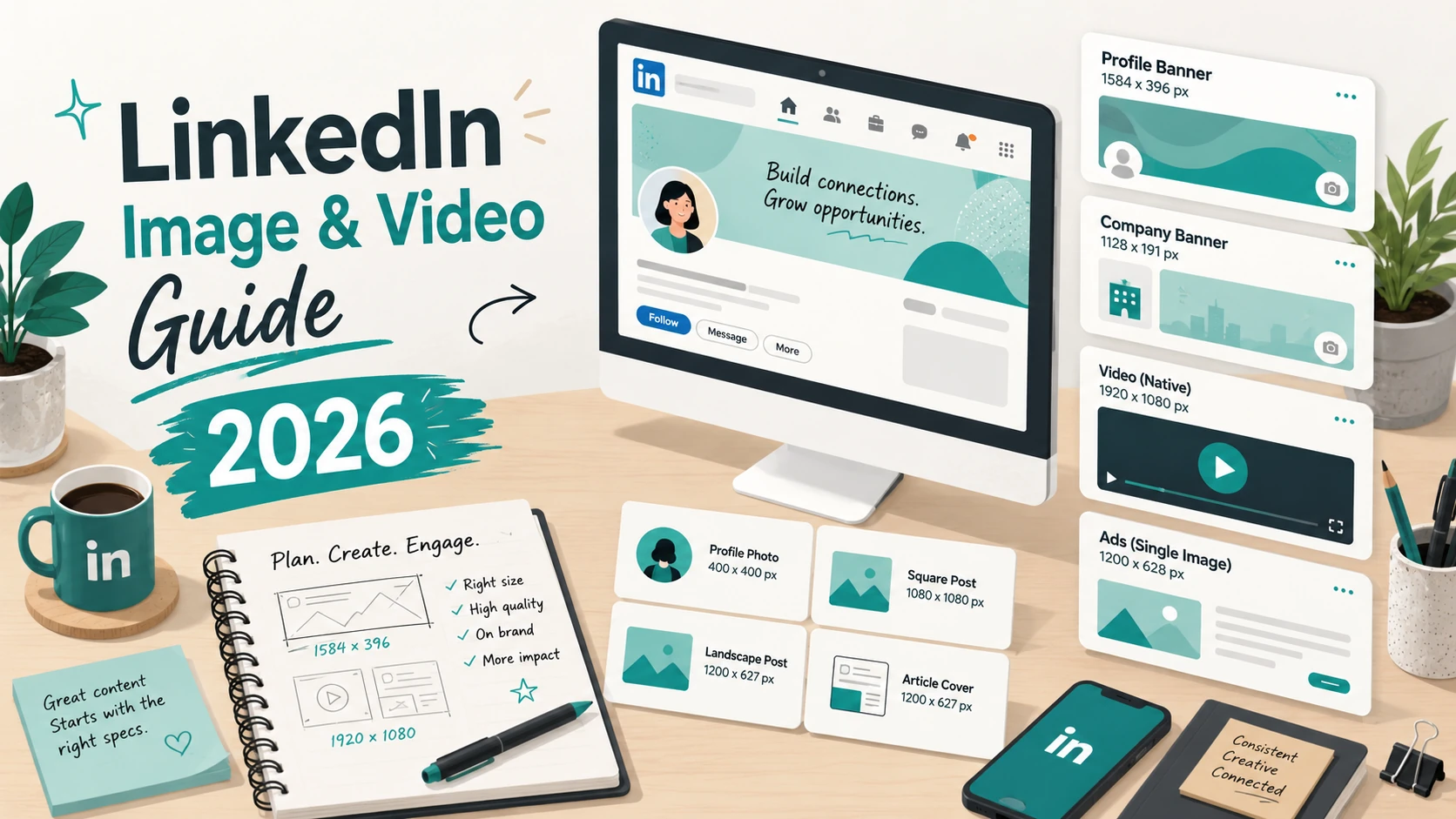
LinkedIn is the leading professional social network, and getting your visuals right here matters — whether you're managing a personal brand, a company page, or running B2B ad campaigns. This guide covers every image and video spec you need, from profile photos to sponsored content.
LinkedIn video content is growing fast — video posts get significantly more reach than text posts in the feed. Square (1:1) and portrait (4:5) formats fill more screen space on mobile, which correlates with higher engagement.
Document posts (PDFs uploaded as carousels) are one of LinkedIn's highest-performing formats because they encourage multiple interactions as users swipe through. Each page of the PDF becomes a slide.
Design each slide at 1080×1080 px (square) for optimal feed display
Keep text large and readable — slides are small in the feed preview
Use a strong cover slide — it's what appears before the user clicks
10–20 slides is the sweet spot; longer documents see drop-off
Export at 150–300 DPI for sharp text without huge file sizes
Document posts (PDF carousels) are one of LinkedIn's highest-performing content formats
LinkedIn tipLinkedIn's feed shows images in a 1.91:1 ratio by default. If you upload a square (1:1) image, it appears cropped in the feed with a 'see more' expansion. For guaranteed full-image display, use 1200×627 px. For maximum feed real estate on mobile, use 1080×1350 px (4:5).